
For developers, sysadmins, and power users
Process Explorer for Mac without compromises.
Microsoft Process Explorer is Windows-only. ProcessSpy gives you the Mac-native equivalent: process tree inspection, advanced search, command-line and environment details, historical CPU and memory tracking, and point-and-click process identification.
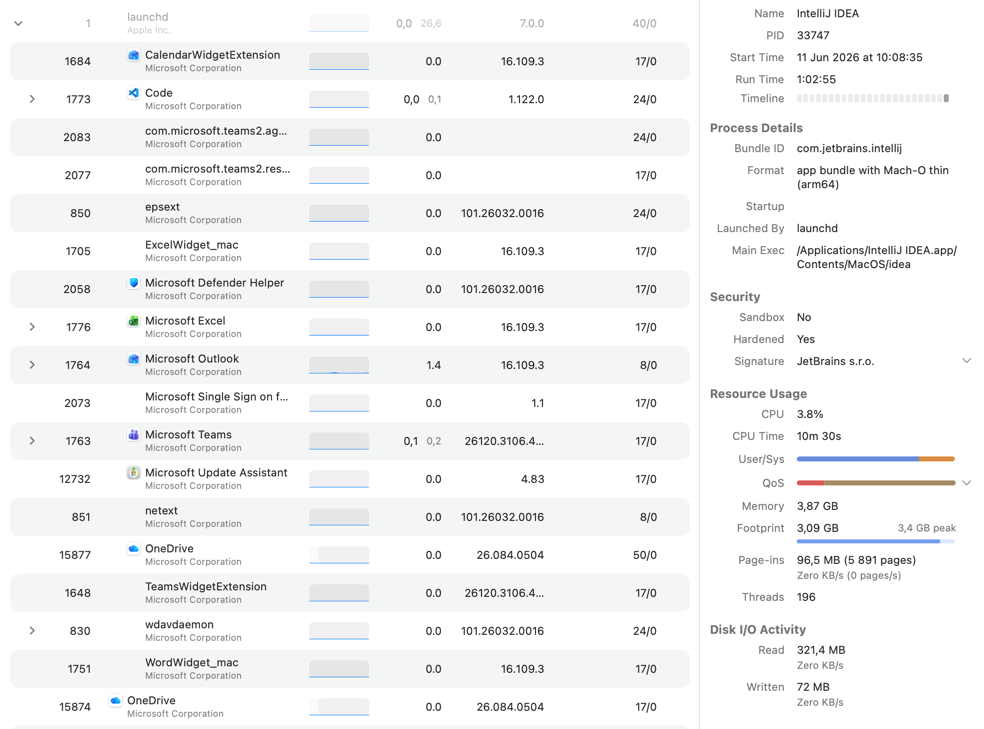
Why Mac users search for Process Explorer
Activity Monitor is useful for quick checks, but it leaves out the context you need for serious debugging: parent-child relationships, full launch details, environment variables, better search, and long-term process history.
ProcessSpy vs. Process Explorer
Process Explorer is one of the best-known process tools on Windows. ProcessSpy brings that deep-inspection workflow to macOS, while adding Mac-specific details like bundle metadata, entitlements, and finished-process recall.
| Feature | Process Explorer | ProcessSpy |
|---|---|---|
| Process tree / hierarchy | Yes — active processes are shown in the main process view. | Yes — advanced tree view with parent/child relationships and aggregate totals. |
| Search | Yes — powerful search for handles and loaded DLLs. | Yes — quick search, multi-property search, and regex search. |
| Find Window's Process | Yes | Yes — point-and-click process identification anywhere on the screen. |
| Full command line | Yes | Yes — full command used to start the process, including arguments. |
| Environment variables | Yes — environment tab. | Yes — dedicated Env Vars section with searchable KEY=VALUE entries. |
| Loaded libraries | Yes — DLL and memory-mapped file view. | Yes — dedicated Dylibs section for loaded dynamic libraries. |
| Open files / handles | Yes — can inspect handles opened by the selected process. | Yes — Files section lists open vnode-backed file descriptors with paths. |
| Network connections | Yes | Yes — Connections section shows local/remote address, protocol, and state. |
| Digital signature details | Yes — verify image signatures. | Yes — signature details and signing organization shown in the inspector. |
| macOS bundle metadata | No — Windows-oriented tool. | Yes — bundle ID, executable details, Info.plist, and entitlements. |
| Historical resource tracking | Yes — process performance tabs. | Yes — historical CPU, Resident Memory, and Virtual Memory when recording is enabled. |
| Remember finished processes | Not documented on the Microsoft overview page. | Yes — keeps finished processes available for later inspection. |
| Built for macOS workflows | No — runs on Windows and Windows Server. | Yes — native macOS-focused process inspection and app metadata. |
| Popover window | No | Yes — menu bar popover with rich content available. |
Feature descriptions are based on publicly documented capabilities from Microsoft Sysinternals and ProcessSpy documentation. Some ProcessSpy features are license-only.
Microsoft, Windows, Sysinternals, and Process Explorer are trademarks or registered trademarks of Microsoft Corporation. All other product names, logos, and brands are property of their respective owners.
Get ProcessSpy for Mac
Inspect processes faster, identify mystery windows, understand spawned helpers, and export evidence when you need to dig deeper.