
Identify a Process with a Mouse Click
Point at any window on your screen, click, and instantly reveal the owning process — name, PID, version, path, and more. Perfect for taming mystery apps, floating helpers, and background windows.
- Single-click process identification
- No guessing: see executable, full path, version and more
- Works across Desktops and most apps
- Can identify toolbar icons
- Available in free version
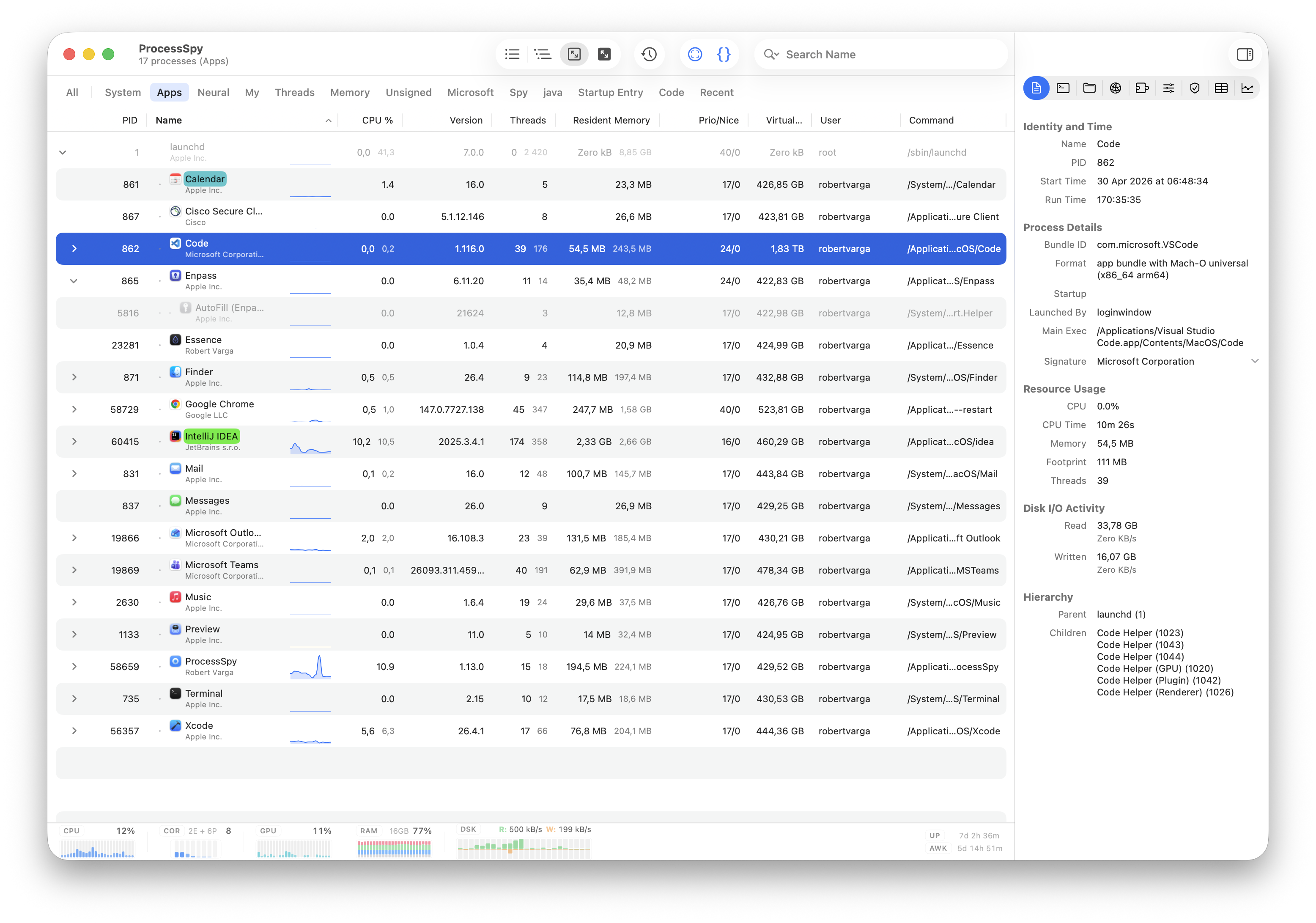
How It Works
1. Enter Identify Mode
Use the toolbar button (crosshair icon). ProcessSpy will wait for a mouse click.
2. Click
Left-click anywhere on the screen, including toolbar icons.
3. Reveal
The owning process is focused in the table with details like PID, version, path, and signature info (if licensed).
Short demo of the point‑and‑click identification flow.
Power Tips
Check connections
After identifying, open the Connections tab and verify whether there are any open connections.
Verify signature
With the paid version of ProcessSpy you can identify which organization signed the executable.
Record History
The licensed version enables you to record CPU and Resident Memory history and watch behaviour over time.
Try Point-and-Click Process Identification
Stop guessing which window belongs to which process. Point, click, and get answers instantly.